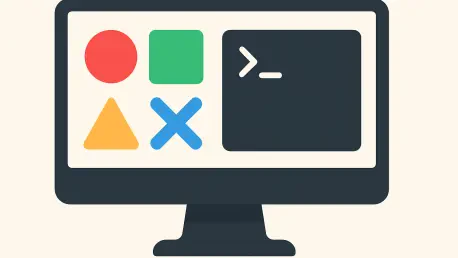

Operating natively within an operating system’s file structure allows a command-line agent to traverse directories and execute scripts across an entire codebase with minimal friction. This technical capability has fundamentally altered the trajectory of interface design, challenging the long-held belief that graphical environments would eventually render the terminal obsolete. For years, the industry witnessed a steady march toward total visual abstraction, where every complex system function was hidden behind a series of buttons and menus. However, the current landscape of 2026 suggests a more nuanced reality where the terminal has reclaimed its status as a vital engine for productivity. The rise of autonomous agents has necessitated a return to text-based interaction, not as a regression into the past, but as a bridge to a more efficient future. As these agents began to handle the bulk of procedural tasks, the need for a high-bandwidth communication channel between machine logic and system resources became undeniable. This shift has forced developers to reconsider the balance between the accessibility of visual tools and the raw power of the command line.
The Resurgence: Why the Command Line Returned
Efficiency: Technical Advantages for Autonomous Agents
The computational efficiency of text-based interfaces represents a significant advantage for modern large language models compared to the resource-intensive nature of visual interaction. When an agent interacts with a graphical user interface, it must employ complex protocols that involve taking frequent high-resolution screenshots, processing them through optical character recognition, and identifying specific pixel coordinates for interaction. This process introduces substantial latency and a high margin for error, as the model may misinterpret visual elements or struggle with dynamic UI changes. Conversely, a command-line interface allows the agent to communicate in its native tongue: structured text and code. By executing shell commands or interacting through standardized APIs, the agent bypasses the heavy lifting of visual processing, leading to execution speeds that are orders of magnitude faster. This streamlined communication enables more complex reasoning chains, as the agent can iterate through multiple potential solutions without the overhead of rendering a graphical workspace.
Access: Navigating Systems with Native Authority
System-level access is another critical factor driving the resurgence of the terminal in the age of agentic workflows. Many graphical applications are intentionally isolated within security sandboxes, which limits their ability to interact with the broader operating system or access files outside of a specific project directory. This isolation, while beneficial for consumer security, acts as a significant barrier for autonomous agents that need to perform cross-functional tasks like running global search-and-replace operations or executing system diagnostics. The terminal provides a direct conduit to the underlying file system, allowing an agent to operate with the same authority as a human system administrator. This freedom has fueled the popular “vibe coding” movement, where creators describe high-level goals in natural language and allow the agent to manage the intricate details of file manipulation and environment configuration. In this context, the command line is no longer just a tool for experts; it has become the most effective way for machines to bridge the gap between abstract intent and concrete digital execution.
The Complexity Crisis: Challenges of Pure Automation
Management: Navigating High Cognitive Load
As the scope of autonomous operations expanded through 2026, a significant bottleneck emerged regarding the human ability to monitor complex, multi-agent workflows through text-based outputs alone. When a single user oversees ten parallel agents—each modifying distinct parts of a codebase, running various test suites, and requesting specific security permissions—the standard terminal window quickly becomes an information bottleneck. The lack of visual hierarchy and persistent status indicators in a traditional command-line environment makes it exceptionally difficult for humans to quickly scan for critical errors or compare large-scale file changes. This “agentic noise” creates a massive cognitive load, forcing the human supervisor to scroll through endless lines of logs to find relevant data points. The industry recognized that while the terminal is the ideal environment for the agent to perform its work, it is often a poor environment for the human to review that work. This realization shifted the focus toward creating tools that could filter and visualize the raw stream of terminal data into a more manageable format.
Transition: Moving Toward Supervision-Centric Design
The transition from operation-centric interfaces to supervision-centric environments has become the defining design challenge of the current year. In the past, graphical user interfaces were built to facilitate manual human actions, where every button click or menu selection represented a direct command from the user. However, as AI agents take over the primary execution of these tasks, the role of the GUI has fundamentally changed. It must now serve as a high-level dashboard that provides clarity and context to the background processes running in the terminal. Even the most dedicated command-line enthusiasts have begun to advocate for graphical wrappers that can present “diffs,” status bars, and dependency maps in a way that text cannot match. This approach ensures that the human collaborator remains in control of the high-level strategy without becoming bogged down in the minutiae of execution. By providing a clear visual representation of what an agent is doing, these new interfaces allow for faster decision-making and more effective intervention when an autonomous process deviates from its intended path.
The Strategic Pivot: Designing Hybrid Interface Systems
Applications: Case Studies in Desktop Innovation
The strategic pivot of major AI companies like DeepSeek and OpenAI illustrates the necessity of a robust graphical layer for professional utility. The DeepSeek Harness desktop version, released earlier this year, represents a departure from the spartan, web-based chat interfaces that dominated the previous development cycle. This application integrates session lists, plugins, and interactive workspaces directly alongside a traditional terminal window, allowing users to organize complex projects that span multiple days and hundreds of files. Similarly, the latest desktop iterations from OpenAI focus on managing long-running, cross-project tasks that a standard terminal cannot handle effectively. These applications are not designed to replace the command line, but rather to organize the outputs generated by it. By providing a dedicated space for file previews and version history, these tools allow the user to see the tangible results of an agent’s work in real-time. This trend highlights a broader industry realization: to capture the professional market, software must provide a user-friendly bridge between abstract human intent and concrete execution.
Integration: The Role of the Agent Client Protocol
The integration of the Agent Client Protocol within the Zed code editor serves as another prime example of how modern tools are bridging the gap between CLI and GUI. This protocol allows an AI agent to maintain the full execution power of a command-line environment while the graphical interface handles the presentation of any proposed changes. When an agent suggests a modification to a file, the user does not have to read through a raw text diff in the terminal; instead, the change is presented as a visual overlay within the editor. This allows the human supervisor to “review and accept” modifications with a single click, maintaining the speed of automated coding while ensuring high-level quality control. By leveraging the GUI as a “control tower” for the underlying AI engine, Zed and similar editors ensure that the results of background processes are both accessible and actionable. This synergy allows developers to stay within their flow state, as they can monitor the progress of their autonomous assistants without ever leaving their primary visual workspace, effectively combining the best of both worlds.
The New Frontier: Success Through Collaborative Frameworks
Analysis: Performance Metrics of Multi-Modal Environments
Recent research into human-machine collaboration has confirmed that the most successful outcomes occur when agents and humans utilize the interface best suited to their respective strengths. A pivotal study conducted in mid-2026 analyzed the completion rates for over 400 complex desktop operations under different interface conditions. The results were revealing: agents limited strictly to graphical interaction achieved a success rate of 59.1%, hampered by the latency of visual processing. When these same agents were given basic command-line tools without optimization, their success rate actually dropped to 48.2%, largely due to the rigid nature of unrefined terminal access. However, when the command-line tools were optimized and integrated within a supportive software environment that allowed for both text-based execution and graphical oversight, the success rate jumped to 69.3%. This data proves that while the CLI provides the agent with its greatest technical capabilities, the structure of a well-designed software environment is necessary to realize those capabilities. The findings suggest that the highest productivity is achieved through a hybrid approach.
Evolution: Establishing the Future of Interaction
The evolution of digital interfaces during this period demonstrated that the “death of the GUI” was a premature prophecy based on a misunderstanding of collaborative dynamics. Developers and organizations successfully moved beyond the binary choice between text and graphics, adopting a more sophisticated model where the terminal served as the backend engine while the desktop acted as the frontend supervisor. This shift allowed software openness to become a key metric of utility, as the most effective programs were those that offered seamless transitions between manual and automated modes. Companies that prioritized this symbiotic relationship saw significant gains in both technical performance and user satisfaction. Looking ahead, the industry moved toward a future where the graphical interface was no longer a tool for mundane manual execution but a platform for high-level decision-making and strategic oversight. The terminal was ultimately liberated from its status as an arcane relic, becoming the essential language of the machine, while the desktop environment was promoted to a control tower that bridged the gap between human creativity and autonomous execution.