
The modern developer, tasked with building for a platform as layered and historically rich as Microsoft Windows, often feels more like a software archaeologist than an innovator, sifting through decades of disparate APIs and SDKs to find the right tools for the job. This complexity has long been a barrier, pushing many creators toward platforms perceived as more streamlined. In response, Microsoft has been developing an open-source command-line interface (CLI) designed to automate the foundational work of Windows application development, potentially transforming a once-daunting process into a few simple commands. This tool aims to clear away the historical clutter, enabling developers to focus on building compelling applications rather than wrestling with environment configurations.
From Software Archaeology to Automated Scaffolding
For years, starting a native Windows application project involved a significant amount of preparatory work. Developers had to navigate a complex landscape of frameworks, from Win32 and MFC to .NET and UWP, each with its own set of prerequisites and setup procedures. This process of manually locating and integrating the correct libraries and dependencies felt akin to an archaeological dig, unearthing legacy components to make modern applications function. This high barrier to entry has made native Windows development seem unfashionable, especially when compared to the straightforward setup offered by many web and mobile development ecosystems.
In stark contrast to this manual process, the new winapp CLI introduces a paradigm of automated scaffolding. Instead of digging through layers of documentation, a developer can now execute a single command to generate a complete, build-ready project structure. This tool automates the tedious but critical initial steps, including SDK installation, manifest creation, and configuration of signing certificates. By handling the foundational plumbing, it allows developers to begin coding almost immediately, fundamentally simplifying the path from concept to creation and making native Windows development more accessible than ever.
The Decades-Long Dilemma of Windows SDKs and APIs
Historically, the evolution of the Windows developer platform was tightly coupled to major operating system releases. New APIs and software development kits (SDKs) were typically shipped only with new versions of Windows, a model that significantly slowed the pace of innovation. This linkage meant developers wanting to use the latest features had to target only the newest OS, fragmenting the user base and creating compatibility challenges. This rigid release cadence made it difficult for Windows to compete with the more agile development cycles seen on other platforms.
The shift toward “Windows as a service” beginning with Windows 10 marked a turning point, allowing Microsoft to decouple the developer platform from the OS. This change paved the way for tools like the Windows App SDK, which delivers modern APIs and components to a wide range of Windows versions. However, even with these advancements, integrating the necessary dependencies into diverse toolchains outside of the traditional Visual Studio environment remained a complex task. There was a clear need for a unifying tool that could orchestrate the setup process for any development environment, from C++ and Rust to JavaScript-based frameworks.
Introducing the winapp CLI a New Command Line Companion
The winapp CLI emerges as Microsoft’s answer to these lingering setup challenges. As an open-source project hosted on GitHub, it embodies a modern, community-oriented approach to developer tooling. Installation is handled efficiently through the Windows Package Manager (WinGet), integrating seamlessly into a developer’s existing workflow. A simple command in the Windows Terminal is all that is required to install the tool, and after a quick restart of the terminal session, developers are equipped with a powerful new assistant for their projects.
At the heart of the tool is the winapp init command, which kicks off an interactive setup process. By answering a few simple questions about the application, the CLI automatically enables Windows’ developer mode, verifies and installs the necessary SDKs, and generates all the required project files. Within minutes, what was once a multi-hour ordeal of configuration is reduced to a clean, ready-to-code directory. This initial command lays the groundwork, handling everything from manifests to the certificates needed for code signing and application packaging.
The CLI’s utility extends across the entire development lifecycle. Subsequent commands simplify the creation of native addons for Node.js, manage the generation of signing certificates, and build the required identity for debugging without needing to package code into MSIX bundles. Ultimately, it streamlines the process of packaging an application for distribution, whether through the Microsoft Store or an independent platform. By abstracting away complexities like targeting x64 or Arm architectures, the tool consolidates between 10 and 12 manual steps into four straightforward commands, freeing developers to concentrate on their code.
Beyond the Code a Renewed Focus on the Command Line
The introduction of the winapp CLI is not an isolated event but rather a key component of Microsoft’s broader strategic embrace of the command line. This renewed focus, spurred by the success of projects like the modern Windows Terminal and the Windows Subsystem for Linux (WSL), recognizes that today’s developers demand powerful, scriptable tools. Microsoft has systematically released a suite of CLIs for its major platforms, including Azure and .NET, acknowledging that the terminal is a central hub for productive software development.
This strategic shift is fundamentally about improving developer experience and workflow. The ability to manage, build, and deploy applications from the same terminal window integrated into a code editor like VS Code minimizes context switching and keeps developers in a state of flow. By providing a powerful command-line utility for Windows apps, Microsoft is placing essential platform tools directly where developers spend most of their time, fostering a more efficient and integrated development process that aligns with modern practices.
Putting winapp to Work a Practical Guide for Diverse Toolchains
The winapp CLI demonstrates its versatility by supporting toolchains well beyond the traditional Microsoft ecosystem, with notable support for Rust. A developer working with Rust can install the standard toolchain with rustup, create a new project, and then run winapp init within that project’s directory. The CLI then overlays the necessary Windows application scaffolding, creating a temporary identity for testing and the manifest and certificates required for packaging the final Rust binary into an MSIX installer. This integration significantly lowers the barrier for memory-safe systems programming on Windows.
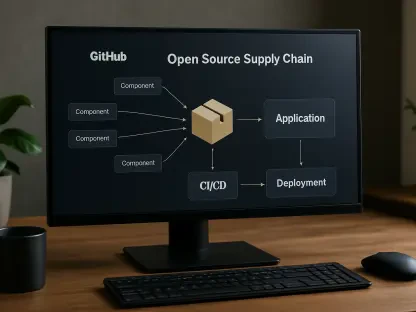
Its adaptability extends into the JavaScript world, accommodating environments like Node.js and Electron. Within these ecosystems, the tool is installed via npm and executed with npx, but the core commands for initializing a project and managing its lifecycle remain consistent. Furthermore, the winapp CLI is designed for automation, with available actions for GitHub and tasks for Azure DevOps. This allows it to be integrated directly into CI/CD pipelines, enabling automated builds, tests, and deployments of Windows applications, which was a significant step forward in modernizing development operations on the platform.