
Anand Naidu is a seasoned developer who has seen the evolution of IDEs from simple text editors to full-blown AI-assisted environments. As a specialist in both frontend and backend systems, he understands the friction points that slow down production cycles and how new tooling can eliminate them. Today, he breaks down the significance of Visual Studio Code version 1.127, specifically how its enhanced agent capabilities and integrated browser tools are fundamentally changing the way we build and verify web applications.
How do the newly finalized browser tools for agents change the day-to-day experience of testing and verifying web applications within the IDE?
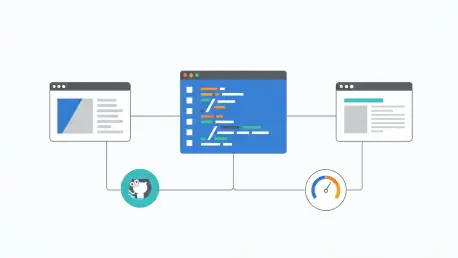
The shift of browser tools from a preview feature to general availability in the 1.127 release is a massive win for anyone tired of constant context switching. Imagine an agent that doesn’t just write code but actually opens the integrated browser to see if the buttons it just programmed actually work. These agents can now read content, catch console errors that would usually go unnoticed, and even take screenshots to verify the visual layout. It feels like having a tireless QA assistant right inside your editor who can navigate through pages and type into forms to ensure the logic holds up. Since these tools are now enabled by default, the barrier to entry has vanished, allowing for a much more seamless “build-and-verify” loop that saves developers hours of manual clicking.
With agents gaining more power to interact with the web, how does the new per-site permission system balance productivity with the security needs of a modern developer?
Security can often feel like a hurdle, but the way VS Code 1.127 handles per-site permissions is actually quite elegant and necessary for modern web APIs. When an agent needs to access high-level hardware like a camera, microphone, or even Bluetooth and USB devices, the editor now prompts the user specifically for that site. This granular control means you can let an agent test geolocation or clipboard features without opening a permanent security hole in your environment. It’s a relief to see that even as we give agents the keys to use the accelerometer or gyroscope, the developer remains the ultimate gatekeeper. This balance ensures that we can build sophisticated, hardware-integrated apps while maintaining a “trust but verify” stance through clear “allow or deny” prompts.
What impact does the redesigned Agents window and the new pull request integration have on managing complex, multi-task coding sessions?
Managing multiple AI-driven tasks used to feel like a chaotic juggling act, but the ability to organize sessions into groups in the Agents window brings some much-needed sanity to the workspace. When you’re deep in a coding session and an open pull request hits a snag, the new banner that appears directly above the chat input is a total game-changer. It displays failing checks and incoming feedback right there, so you don’t have to go hunting through GitHub tabs to see what went wrong. Being able to trigger a fix or view an issue with a single action while staying within the flow of the conversation makes the whole process feel much more integrated. It transforms the editor from a simple code window into a mission control center where the status of your entire workflow is visible at a glance.
Transparency regarding AI costs can be a major concern for teams; how does the update address the visibility of resource consumption when subagents are involved?
It’s easy to lose track of costs when an agent starts delegating tasks to various subagents, which can lead to some unpleasant surprises at the end of the month. Microsoft addressed this transparency gap in version 1.127 by allowing users to simply hover over a subagent section in a chat response to see exactly how many AI credits were consumed. This provides a tactile sense of the “cost of work” in real-time, helping developers understand which tasks are resource-heavy and which are efficient. Having that data readily available in the UI takes away the mystery and allows for better budgeting of AI resources. It’s a small UI tweak that offers a significant sense of control and prevents the anxiety of “black box” spending during long development marathons.
How does the introduction of file-based delivery for GitHub Copilot settings simplify the lives of administrators managing large-scale developer teams?
For those managing enterprise-level teams, the new support for file-based delivery via a JSON file on disk is a very practical addition to the management toolkit. Previously, admins had to rely on native mobile device management channels or account-based enterprise files, which could sometimes be rigid or difficult to deploy across diverse environments. Now, having a simple JSON file to manage GitHub Copilot settings provides a lightweight and flexible alternative that fits into existing automation scripts. It allows for a more “set it and forget it” approach to configuration, ensuring that every developer on the team is working with the same managed settings. This level of consistency is crucial for maintaining security standards and ensuring that the entire organization is getting the most out of their AI tools.
What is your forecast for the evolution of autonomous agents within our development environments over the next year?
I expect that we are moving toward a “managerial” style of programming where the developer acts more as an architect and less as a manual typist. As agents get better at handling their own subtasks and reporting their resource usage, we will see them take on entire feature branches from scratch, including the documentation and the automated testing. We are quickly reaching a point where the IDE isn’t just a place where you write code, but a collaborative environment where the software almost “builds itself” under your supervision. The tight integration of browser verification and real-time PR feedback we see in version 1.127 is just the beginning of a shift where the editor proactively solves problems before the human even notices them.