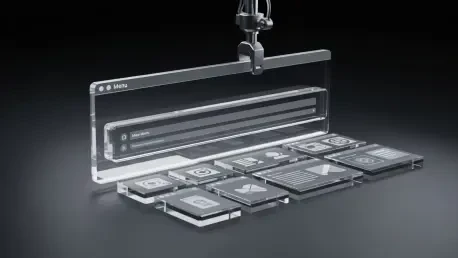

For the first time in nearly three decades, the foundational structure of the Windows desktop is being openly questioned not by an external competitor, but from within Microsoft itself through a publicly accessible, yet carefully managed experiment. The company is actively testing a radical departure from the bottom-aligned, taskbar-centric environment that has defined its flagship operating system since 1995. This exploration manifests as an optional top menu bar, reminiscent of Apple’s macOS, delivered through the PowerToys utility suite. The introduction of such a fundamental change, even within an experimental framework, signals a profound willingness to challenge decades of user muscle memory and established design conventions in pursuit of a more modern and productive user experience. This move is less about a single feature and more about a new, more cautious philosophy of innovation.
The Enduring Legacy of the Desktop: A Market Forged in Habit
The desktop operating system market has long been a story of established conventions, with Microsoft Windows holding a commanding share. Since the launch of Windows 95, the user experience has been anchored by a consistent paradigm: a Start button in the corner and a taskbar spanning the bottom of the screen. This design became so ingrained in the collective user consciousness that it transcended mere functionality to become a form of digital muscle memory for billions of people worldwide. This deep-rooted familiarity is both Microsoft’s greatest asset and its most significant constraint, creating an immense inertia that resists fundamental change.
In contrast, competitors have cultivated their own distinct design philosophies. Apple’s macOS has steadfastly maintained its global menu bar at the top of the screen for decades, a core element of its brand identity and user workflow. Meanwhile, the diverse ecosystem of Linux distributions has offered a vast playground of interface customization, from traditional desktop layouts to highly minimalist window managers. Despite these alternatives, the Windows taskbar has remained the dominant model. Consequently, any attempt by Microsoft to deviate from this formula is not just a software update; it is a direct challenge to the digital habits of a generation, representing a significant strategic risk.
Shifting Paradigms: Market Pressures and User Expectations
The Drive for Modernization: Emerging UI UX Trends
The impetus behind Microsoft’s willingness to experiment with its core interface stems from a confluence of modern workplace trends and evolving user expectations. The widespread adoption of hybrid work models has amplified the need for enhanced productivity and efficient multitasking. Users are increasingly employing diverse hardware, from ultra-wide monitors where a bottom taskbar can feel inefficient, to compact laptops where maximizing vertical screen real estate is paramount. A top-aligned menu bar, in theory, could consolidate system functions and application controls, freeing up valuable screen space and reducing visual clutter.
Simultaneously, user expectations are no longer shaped in a vacuum. Decades of exposure to different platforms, including macOS, mobile operating systems, and highly customizable Linux environments, have cultivated a user base that is more aware of alternative design patterns. This has placed pressure on Microsoft to ensure Windows remains competitive and is not perceived as stagnant. In this context, the strategic evolution of PowerToys is critical. What began as a niche toolkit for developers has been transformed into a public-facing research and development platform, allowing Microsoft to deploy and validate emerging UI concepts with an engaged, self-selected community before considering a broader rollout.
Reading the Telemetry: Windows 11 Adoption and the Power User Response
Microsoft’s decision to explore such a significant interface change is also informed by market data and user feedback surrounding its current OS. While Windows 11 introduced a visual refresh, its adoption rates have been steady but not explosive, and certain design decisions, such as the centered taskbar and redesigned Start menu, have received a mixed reception from long-time users. This feedback loop provides a clear signal that while a modern look is welcome, disrupting established workflows without offering clear productivity gains can breed user dissatisfaction. The top menu bar experiment can be viewed as a direct response to this dynamic, an attempt to find a new balance between modernization and usability.
The consistent growth of the PowerToys user base serves as a crucial piece of this puzzle. This community is not representative of the average Windows user; rather, it is a proxy for the most engaged and technically proficient segment of the market. These are users who actively seek out tools to customize and optimize their workflow. By introducing the experimental menu bar within this environment, Microsoft can gather high-quality telemetry and qualitative feedback from a group that is both eager for innovation and highly sensitive to its practical implications. The positive adoption of other advanced PowerToys features, like FancyZones and PowerToys Run, has already proven the value of this model for validating new ideas.
Deconstructing the Desktop: Navigating the Challenges of Radical Change
The path from an experimental PowerToy to a core feature of Windows is fraught with significant obstacles, the most formidable of which is user habit. Overcoming three decades of muscle memory associated with the bottom taskbar is a monumental challenge. For millions of enterprise and individual users, the current layout is second nature, and any forced change would inevitably lead to a period of reduced productivity and user frustration, echoing the backlash seen with previous disruptive interface shifts.
Beyond user psychology, there are profound technical complexities to consider. The entire Windows application ecosystem has been built around the assumption of a bottom-aligned taskbar. Applications are coded to interact with it for notifications, window management, and system tray functionality. Integrating a new top-level UI element would require more than just a visual overlay; it would necessitate deep architectural changes to ensure seamless compatibility with legacy applications and the operating system’s core functions. The current PowerToys implementation cleverly sidesteps this by coexisting with the standard taskbar, but a full, native integration would be an engineering effort of immense scale and complexity.
Furthermore, the implications for enterprise environments are considerable. A fundamental shift in the Windows interface would trigger a massive need for corporate IT departments to invest in new training materials, documentation, and user support. The predictable and stable nature of the Windows UI has been a cornerstone of its enterprise dominance. Introducing a radical change would disrupt this stability, creating significant operational costs and potential resistance from organizations that prioritize continuity over novel design. This is precisely why the opt-in, experimental nature of the PowerToys release is so strategically astute, as it allows for controlled evaluation without forcing widespread disruption.
A New Playbook: How Past Failures Are Shaping a Cautious Future
This experimental approach reflects a significant internal strategic shift at Microsoft, one heavily influenced by the hard-learned lessons of the past. The widespread user backlash against Windows 8, which famously removed the Start button and introduced a jarring, touch-first interface, left a lasting scar on the company’s design philosophy. That experience demonstrated that even a market leader cannot dictate user experience by fiat. The subsequent, more muted, criticisms of some Windows 11 changes further reinforced the need for a more collaborative and evidence-based approach to interface evolution.
In response, Microsoft has established a new, self-imposed governance model for design changes. Instead of developing radical ideas behind closed doors and unveiling them as a finished product, the company now leverages PowerToys as a deliberate, low-risk, and transparent testing ground. This methodology serves multiple purposes: it allows Microsoft to test the waters on potentially controversial concepts, gather invaluable real-world usage data, and engage its most passionate users in the development process. It effectively transforms a top-down design mandate into a community-driven conversation.
This opt-in strategy fundamentally de-risks innovation. By making the top menu bar a feature that users must consciously choose to enable, Microsoft avoids alienating the vast majority of its user base who prefer the traditional interface. It creates a feedback loop with a willing and technically savvy audience, allowing the company to refine the concept, identify pain points, and accurately gauge demand before committing the extensive resources required for a system-wide implementation. This cautious, data-driven playbook represents a more mature and user-respectful approach to shaping the future of the Windows experience.
The Road Ahead: Is a Top Menu Bar the Future of Windows
The future of this experimental top menu bar is uncertain and could follow several distinct paths. One possibility is that it remains a niche feature within PowerToys, catering to a specific subset of power users who value its workflow but never achieving the critical mass needed for broader adoption. A second, more likely scenario is a gradual integration into the core operating system as an optional layout, allowing users to choose between the classic taskbar and the new top menu bar, much like they can already choose to align the taskbar to the left or center. This would cater to different preferences without forcing a disruptive change on anyone.
A third, more ambitious path would see the feature become the new default in a future version of Windows, a decision that would only be made after years of telemetry data and user feedback demonstrate its clear superiority in terms of productivity and user satisfaction. Regardless of which path is taken, the experiment itself signals something more significant about Microsoft’s long-term vision. It suggests a move toward a more modular and adaptable Windows, where core elements of the user interface could be customized or swapped out to better suit the user’s hardware, workflow, or personal preference.
This approach hints at a future where the operating system is less of a monolithic entity and more of a flexible platform. The success of this experimental process, more so than the feature itself, could embolden Microsoft to test other fundamental changes, potentially leading to a Windows that is far more personalized and user-influenced than ever before. The ultimate legacy of the top menu bar test may not be the bar itself, but the validation of a new, collaborative way to evolve the most widely used desktop operating system in the world.
Synthesis and Strategic Verdict: A Win for Process Over Product
Ultimately, the analysis of Microsoft’s new interface experiment revealed that its true significance laid not in the specific feature being tested, but in the mature, data-driven process it represented. The introduction of a top menu bar was a bold move, but the decision to deploy it through the opt-in PowerToys platform was a brilliant strategic pivot, born from the difficult lessons of past interface overhauls. This methodology allowed the company to engage with its most advanced users, gather critical feedback, and assess the viability of a radical idea without disrupting its massive mainstream user base.
The investigation concluded that this strategic shift in development philosophy was a major victory for Microsoft. It demonstrated a newfound respect for user muscle memory and enterprise stability, while still creating a viable pipeline for genuine innovation. Whether the top menu bar ever became a permanent fixture in a future version of Windows was, in the end, secondary. The primary success was the establishment of a low-risk, high-reward framework for testing the future. This approach balanced the need to modernize with an understanding of user habits, marking a significant evolution in how Microsoft managed its most valuable asset.