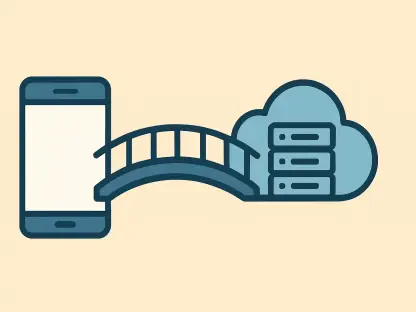

The seamless synchronization of digital media from a physical computer to the cloud has long been the gold standard for personal data security, yet this convenience is currently facing its most significant disruption in years. For nearly a decade, the Google Drive desktop application has served as an invisible but vital bridge, allowing users to designate specific local folders for automatic monitoring and subsequent upload to Google Photos. This background process meant that any image transferred from a camera or any video edited on a workstation would find its way to the cloud without a single manual click. However, recent shifts in software architecture indicate that this era of deep system integration is drawing to a close as Google pivots toward a more restrictive, web-centric ecosystem. By decoupling the photo backup functionality from the native desktop client, the company is fundamentally altering how millions of individuals interact with their digital archives, trading deep operating system hooks for the standardized but often less reliable environment of the web browser. This transition represents a major departure from the “set it and forget it” philosophy that helped Google Photos dominate the market, signaling a future where users must be more proactive and intentional about their data redundancy strategies.
Understanding the Impact on Power Users
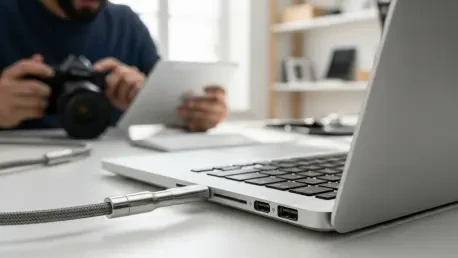
Professional photographers, videographers, and high-end hobbyists represent the demographic most severely affected by the removal of native desktop synchronization tools. These individuals rarely rely on smartphones as their primary capture devices; instead, they utilize high-resolution DSLRs, mirrorless cameras, and specialized equipment like 4K-capable drones. The sheer volume of data generated by these devices necessitates a desktop-first workflow where files are ingested, sorted, and edited locally before being archived. For these users, the Google Drive desktop app was more than just a convenience; it was a critical component of their data pipeline that ensured every RAW file or high-bitrate video was safely mirrored in the cloud the moment it hit the hard drive. The loss of this automated background service introduces a level of friction that threatens to disrupt established creative processes, forcing professionals to reconsider whether the Google Photos ecosystem remains the right choice for high-volume media management.
Building on this concern, the shift away from native tools creates a reliability vacuum that manual methods simply cannot fill. When a photographer returns from a shoot with hundreds of gigabytes of data, they depend on the operating system’s ability to handle background tasks while they focus on post-production. A native application has the unique advantage of running as a system service, meaning it can continue to upload files even if the user is working in a resource-heavy program like Adobe Premiere or DaVinci Resolve. By forcing these users to utilize a browser-based interface, Google is effectively asking them to keep a dedicated window open and active, which is a significant downgrade in terms of system efficiency. This change not only adds a layer of manual oversight to a previously autonomous task but also increases the likelihood of human error, such as forgetting to initiate an upload or accidentally closing the browser tab before a large transfer is complete.
The Countdown to the Final Deadline
The timeline for this transition is structured to provide a buffer, yet the ultimate expiration of current features remains a looming concern for long-term planners. While Google has signaled that changes will begin as early as next month for new accounts, existing users are currently operating within a grace period that is slated to expire on August 10, 2026. This two-year window is intended to facilitate a gradual migration, allowing those with terabytes of data to reorganize their local storage structures and adapt to new uploading methodologies. However, the presence of a hard deadline means that the “legacy” way of backing up photos is effectively on life support. Users who rely on complex folder hierarchies or synchronized local raids must now evaluate their long-term storage health before the automated bridge is permanently dismantled, leaving them with fewer native options for cloud redundancy.
This chronological framework also highlights a strategic shift in how tech giants manage their software portfolios as they move toward unified web standards. By setting a clear termination date for the Google Drive integration, the company is signaling that the maintenance of separate, native codebases for Windows and macOS is no longer a priority compared to the scalability of web applications. For the average user, this two-year transition might seem generous, but for organizations or individuals managing massive multi-year archives, the deadline represents a significant logistical hurdle. It forces a comprehensive audit of how media is handled from the moment of capture to the moment of cloud ingestion. As 2026 approaches, the pressure to find a sustainable alternative will only intensify, making the current period a critical window for testing new workflows before the automated systems are switched off for good.
Evaluating Google’s Suggested Alternatives
To fill the void left by the native desktop app, Google has directed its user base toward the Google Photos web interface and the Progressive Web App (PWA). While these platforms offer a visually consistent experience across different operating systems, they are fundamentally limited by the “sandboxed” nature of modern web browsers. A browser is designed to prioritize security and memory management, which often means it will throttle or suspend tabs that are not currently in the foreground. This behavior is the antithesis of a reliable backup service, which needs to run at a consistent speed regardless of what the user is doing. If a user starts a 50GB upload and then switches to a different task or minimizes the browser, there is a non-trivial risk that the process will stall, leading to incomplete backups and a false sense of security regarding data safety.
Moreover, the Progressive Web App (PWA) solution, while touted as a more integrated experience, still lacks the low-level system access required for true automation. Unlike the Google Drive client, which can monitor a folder for changes at the file system level and react instantly, a PWA often requires the user to manually trigger the “Back up folders” function or keep the application window active to ensure continuity. This move is widely viewed by technical analysts as a “streamlining” of Google’s development costs at the expense of user utility. The web interface is perfectly adequate for the casual user who occasionally uploads a handful of vacation photos, but it falls short of the robust, “set it and forget it” standard that desktop users have come to expect over the last decade. This transition replaces a specialized tool with a generalized one, effectively lowering the ceiling for what the service can handle in a professional or high-capacity context.
Technical Hurdles of Web-Based Syncing
The architectural divide between a native application and a web-based client is rooted in how each interacts with the computer’s kernel and hardware. Native software, such as the outgoing Google Drive backup feature, operates with a level of authority that allows it to bypass many of the restrictions placed on standard applications. It can utilize “File System Watcher” APIs to receive immediate notifications from the operating system whenever a new file is created, modified, or moved. This allows for near-instant synchronization with zero impact on system performance because the app doesn’t need to constantly “poll” or scan the hard drive for changes. In contrast, web-based solutions must work through the browser’s abstraction layer, which acts as a gatekeeper that limits direct hardware access to prevent malicious activity, unfortunately also hindering legitimate high-performance tasks like background data syncing.
Furthermore, the issue of resource allocation becomes a significant bottleneck when moving from native services to browser-dependent workflows. Modern operating systems are increasingly aggressive about “freezing” applications that consume high amounts of CPU or memory in the background to preserve battery life and overall system responsiveness. Since a web browser is often the most resource-intensive application on a machine, it is frequently the first target for these power-saving measures. A native sync service can be marked as a “critical process” by the OS, ensuring it receives a steady slice of system resources even during heavy loads. A web tab, however, is at the mercy of the browser’s internal logic. This inherent instability makes the web-based approach unsuitable for users who need to upload large batches of high-resolution media while simultaneously performing other demanding tasks, as the background backup could be paused indefinitely without any clear notification to the user.
Exploring Third-Party Tools and Future Trends
In response to the perceived downgrade of official tools, a growing segment of the power-user community is turning toward open-source and third-party synchronization solutions. Applications like Syncthing have emerged as powerful alternatives, offering the kind of granular control and persistent background operation that Google is moving away from. Syncthing utilizes a peer-to-peer model that allows users to sync their photos from a desktop to a dedicated server or a secondary computer, which can then handle the final upload to the cloud through more robust methods. This shift highlights a broader trend in the technology industry where advanced users are reclaiming control over their data pipelines, moving away from proprietary “all-in-one” ecosystems that prioritize simplicity over the specialized needs of professionals who require high-performance hardware integration.
This migration toward independent tools is not merely a reaction to a single software update; it reflects a fundamental change in the relationship between tech giants and their most demanding users. As companies like Google focus on creating a unified experience across mobile and web platforms, they inevitably strip away the “pro” features that made their desktop software unique. For the user who values reliability and automation, the path forward involves diversifying their toolkit rather than relying on a single vendor for both storage and synchronization. Adopting third-party utilities allows for a more resilient architecture where the “backup” logic is separated from the “storage” provider. As the 2026 deadline draws nearer, the most effective strategy for preserving digital memories will involve embracing these versatile, cross-platform tools that prioritize system-level performance and user autonomy over the convenience of a centralized web app.
Proactive Strategies for Data Continuity
Navigating the cessation of native desktop backups requires a shift from passive reliance to active management of one’s digital assets. The first step for any user currently dependent on the Google Drive sync feature is to conduct a thorough audit of their local media folders to determine the total volume of data that will need a new home. Since the web-based alternatives are more prone to interruption, it is advisable to begin transitioning to smaller, more frequent upload batches rather than attempting to sync massive archives in a single session. This tactical adjustment can help mitigate the risks associated with browser instability and ensure that the most recent and critical files are consistently backed up. Additionally, exploring the installation of the Google Photos PWA today can provide a necessary adjustment period, allowing users to identify specific pain points in the web-first workflow before the native app is fully decommissioned.
Beyond simply adapting to Google’s new interfaces, long-term data security in this new landscape will likely involve a multi-layered approach to redundancy. Users should consider implementing a local “staging” area, such as a Network Attached Storage (NAS) device, which can serve as a primary backup point for all desktop media. Many modern NAS systems offer their own specialized cloud-syncing applications that are much more robust than a web browser, essentially replacing the functionality that Google is removing. By using a NAS as a middleman, a photographer can ensure their files are backed up locally at high speed, while the NAS handles the slower, more methodical task of uploading to Google Photos or other cloud providers in the background. Ultimately, the end of the native desktop backup feature serves as a wake-up call to move toward more sovereign and diversified storage solutions that are not subject to the shifting architectural priorities of a single service provider.