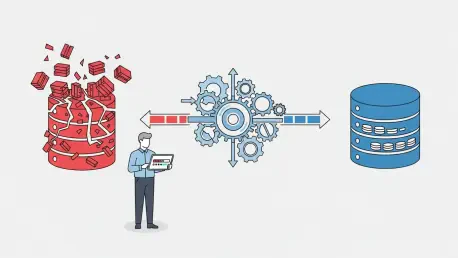

The sudden inaccessibility of a mission-critical SQL database due to file corruption represents one of the most significant threats to modern business operations, capable of grinding productivity to a halt and jeopardizing vast amounts of data. When a primary MDF file becomes unreadable, the frantic search for a solution begins. This review examines a prominent contender in the data recovery space, Stellar Repair for MS SQL, a specialized utility designed to salvage databases when all else fails. It aims to provide a clear, unbiased analysis of its capabilities, performance, and overall value proposition for IT professionals and database administrators.
What is the Purpose of this Review
This evaluation seeks to determine whether Stellar Repair for MS SQL is an indispensable tool for administrators tasked with safeguarding the integrity of SQL Server environments. When faced with corruption errors that render a database inaccessible, the standard response involves restoring from a backup or running native utilities like DBCC CHECKDB. However, these methods are not always viable; backups can be outdated or corrupt themselves, and native repair commands often come with a significant risk of data loss. This analysis will therefore scrutinize the software’s ability to overcome these limitations and provide a reliable path to recovery.
The core objective is to move beyond marketing claims and assess the software’s real-world utility. This involves a thorough examination of its effectiveness in resolving common and severe MDF file errors, from header corruption to page-level damage. Furthermore, its value will be weighed against the built-in tools provided by Microsoft SQL Server. Ultimately, this review will conclude whether the software justifies its investment by effectively minimizing downtime and ensuring business continuity in the face of potentially catastrophic data loss scenarios.
Understanding Stellar Repair for MS SQL
Stellar Repair for MS SQL is engineered with a singular, critical purpose: to repair corrupted primary (MDF) and secondary (NDF) database files and restore them to a fully functional state. Its fundamental design addresses scenarios where the SQL Server itself can no longer mount or read the database due to internal inconsistencies or damage. The software operates independently of the SQL Server instance, allowing it to work on detached or offline database files. It meticulously scans the file structure to identify and rebuild damaged components, aiming to recover the maximum possible data.
The software’s feature set is comprehensive, extending beyond simple file repair. It is designed to recover a wide array of database objects, including tables, triggers, indexes, keys, rules, and stored procedures. A particularly notable feature is its ability to recover deleted records from the database file, a capability that native tools do not offer. The intended workflow is streamlined for ease of use: a user selects the corrupt file, initiates a scan, previews the recoverable data in a tree-like structure, and then saves the repaired data. This process is built around the principle of non-destructive recovery, ensuring the original corrupted file remains unaltered while a new, healthy database file is created.
The tool’s creators emphasize its commitment to maintaining data integrity throughout the repair process. By reconstructing the database objects and their relationships, it aims for a complete restoration of the original schema. After repair, users are given flexible options for saving the recovered data. It can be saved as a new MDF file, exported directly to a live SQL Server database, or converted into other formats such as HTML, XLS, and CSV. This versatility makes the software useful not just for disaster recovery but also for data extraction from otherwise inaccessible files.
Performance and Recovery Capabilities
In any data recovery tool, the ultimate measure of success is its ability to retrieve intact data from a damaged source. Stellar Repair for MS SQL demonstrates a high success rate, particularly in cases of severe corruption where native utilities like DBCC CHECKDB with REPAIR_ALLOW_DATA_LOSS would result in unacceptable data truncation. The software is adept at handling a spectrum of corruption issues, including unreadable file headers, I/O errors, and damaged page structures. Its advanced algorithms are designed to piece together recoverable data fragments, successfully restoring tables and objects that might otherwise be considered permanently lost.
The speed and efficiency of the repair process are largely dependent on the size of the database and the available system resources, such as CPU and RAM. For small to moderately sized databases, the scan and repair operations are completed in a reasonable timeframe. However, for very large databases spanning hundreds of gigabytes or more, the process can be resource-intensive and time-consuming. In contrast, the user interface is remarkably intuitive, presenting a clean and logical layout that guides users through the recovery steps. This design makes the tool accessible not only to seasoned database administrators but also to IT generalists who may be less familiar with the intricacies of SQL database structures.
A critical aspect of its performance is its fidelity in preserving the original database structure. The software excels at maintaining the schema, including primary and foreign key relationships, indexes, and triggers. This ensures that the recovered database is not merely a collection of raw data but a fully functional relational system that can be seamlessly reintegrated into a production environment. The preview function is a testament to this capability, allowing users to verify the integrity and relationships of the recovered data before committing to the final save, providing crucial assurance in a high-stakes recovery situation.
Key Advantages and Disadvantages
The primary advantage of Stellar Repair for MS SQL lies in its ability to succeed where native tools falter. While DBCC CHECKDB is a powerful diagnostic utility, its repair options are limited, and the most effective one, REPAIR_ALLOW_DATA_LOSS, does exactly what its name implies—it deletes corrupted pages, potentially removing critical data. This software offers a non-destructive alternative, preserving data integrity while performing repairs. Furthermore, its capability to recover deleted records provides a unique value proposition for forensic analysis or accidental data removal scenarios, a feature entirely absent in standard SQL Server tools. Its support for a broad range of SQL Server versions, from older editions to the latest releases, ensures wide applicability across different IT environments.
Despite its powerful capabilities, the software is not without its drawbacks. The most significant consideration is that it is a paid, commercial product. For organizations on a tight budget, the cost may be a barrier compared to the free, built-in utilities offered by Microsoft. The free demo version, while useful, is functionally limited; it allows users to scan a corrupt database and preview the recoverable data but does not permit saving the repaired file. This “try-before-you-buy” model is standard, but it means a purchase is necessary to complete any recovery. Additionally, as noted, its performance on extremely large databases is heavily reliant on the underlying hardware, and a slow or under-resourced system can significantly prolong the recovery process.
Final Verdict and Recommendation
This evaluation demonstrated that Stellar Repair for MS SQL is a robust and highly capable solution for addressing SQL database corruption. Its performance in scenarios of severe data damage, where native utilities would either fail or cause significant data loss, confirmed its status as a powerful recovery tool. The software’s comprehensive feature set, including the recovery of deleted records and its meticulous preservation of database schema and integrity, distinguished it as more than just a simple repair utility. It functioned as a complete data salvage platform for inaccessible SQL databases.
Considering its high success rate and the critical importance of data integrity, the software is a worthwhile investment for any organization that relies heavily on SQL Server. While its cost is a valid consideration, it must be weighed against the potential financial and operational costs of permanent data loss and extended downtime. The tool effectively serves as a critical safety net, providing a reliable recovery path when primary disaster recovery plans, such as backups, are unavailable or have failed. It fills a crucial gap in the standard database administrator’s toolkit, offering peace of mind in high-pressure situations.
Who Should Consider Stellar Repair for MS SQL
The ideal user for this software is a database administrator or IT professional facing a critical corruption event without a viable backup. In situations where a production database becomes inaccessible and restoring from a backup is not an option due to age, corruption, or absence, this tool provides a direct path to recovery. Organizations that cannot tolerate the data loss associated with the DBCC CHECKDB REPAIR_ALLOW_DATA_LOSS command will find immense value in its non-destructive approach. It is also an essential resource for technicians who need to perform forensic data recovery, such as retrieving specific records that were accidentally or maliciously deleted.
As a final consideration, any potential user should leverage the free trial version before committing to a purchase. The preview function is the software’s most important pre-purchase feature, as it provides definitive proof of its ability to read and interpret the specific corrupted file. By confirming that the required tables, objects, and records are visible in the preview pane, a user can make an informed decision and invest in the full license with confidence. This simple step mitigates risk and ensures the tool is the right fit for the specific recovery challenge at hand.