Streaming agent responses token-by-token improves user experience by providing immediate feedback while the model generates complex reasoning or tool-assisted answers. In the current landscape of 2026, the shift from simple, linear chatbots to sophisticated, autonomous agents represents a fundamental leap in how software interacts with natural language. Developers no longer view large language models as isolated text generators but rather as central reasoning engines within a broader, state-driven architecture. LangGraph has emerged as a definitive framework for this transition, allowing for the creation of cyclic workflows that mirror human-like reasoning patterns, where an agent can stop, think, consult a tool, and then refine its answer based on the output. This state-driven approach ensures that context is never lost and that the agent’s logic remains transparent and controllable throughout the execution cycle, providing a robust foundation for building applications that require high levels of reliability and complexity.
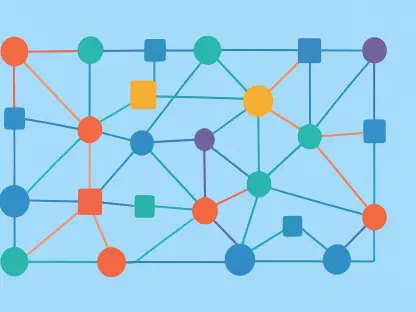
The architecture of a modern AI agent relies heavily on the concept of a state machine, where the workflow transitions through different nodes based on specific conditions and inputs. Unlike traditional chains that follow a fixed path, LangGraph facilitates the design of graphs where nodes represent tasks or model calls, and edges determine the flow of information. This flexibility is essential for tasks that require iterative refinement or human intervention, which are increasingly common in enterprise-grade AI solutions. By utilizing Python as the primary environment, developers gain access to an extensive ecosystem of data processing libraries and integration tools, making it the ideal choice for building and deploying these advanced systems. As the demand for more autonomous and capable AI increases, mastering the construction of these agents becomes a critical skill for developers looking to push the boundaries of what is possible with current generative technologies.
1. Initialize the Project and Install Dependencies
Building a professional AI agent starts with the establishment of a clean and isolated development environment to prevent library conflicts and ensure reproducibility. The first step involves creating a dedicated project directory and initializing a Python virtual environment, which is standard practice in modern software engineering. By isolating dependencies, the system remains stable as the project scales. Within this environment, essential packages must be installed via pip, including langgraph for the core agentic logic, langchain-deepseek for model integration, and python-dotenv for secure environment variable management. It is crucial to pin the versions of these libraries in a requirements.txt file, ensuring that the deployment environment exactly matches the local development setup, thereby avoiding the common “it works on my machine” pitfalls during the transition to a production server.
Once the environment is active, the focus shifts to project structure and security through the configuration of hidden files and API keys. A .env file is created to store sensitive credentials like the DeepSeek API key, keeping them out of version control and protecting the developer’s resources. Simultaneously, a .gitignore file is configured to exclude the virtual environment folder and the .env file from the repository. This foundational setup allows the developer to focus on the logic of the agent without worrying about accidental credential leaks or environment inconsistencies. Verifying the installation with a simple import script in main.py confirms that the library ecosystem is functional and ready for the implementation of the agent’s state management and reasoning nodes, marking the completion of the initial setup phase.
2. Establish the Agent’s Shared State
At the heart of any LangGraph agent is the state schema, a structured definition that dictates how data is stored, modified, and passed between different nodes of the graph. In 2026, stateful AI development requires a clear understanding of TypedDict and how it facilitates the movement of information across complex workflows. By defining an AgentState class, the developer creates a shared memory space that all nodes can access and update. This schema typically includes a collection of messages representing the conversation history, which is vital for maintaining context over multiple turns. The use of Type Hints and modern Python typing features ensures that the code remains readable and less prone to errors during the data transformation processes that occur as the agent processes user requests.
A critical component of this state definition is the use of “reducer” functions, such as add_messages, which manage how new data is merged into the existing state. Without a reducer, a new update would simply overwrite the previous value, destroying the conversation history that the agent needs for context. By annotating the messages list with the add_messages function, the graph is instructed to append new interactions to the list or update existing messages if they share a common identifier. This mechanism allows the agent to handle sophisticated scenarios, such as correcting a previous output or adding tool results to the context without losing the original user prompt. This design pattern ensures that the agent’s memory is both persistent and additive, forming the backbone of the entire interactive experience.
3. Formulate the Model Node
The model node serves as the primary reasoning engine of the agent, where the large language model processes the current state and decides on the next course of action. Implementing this node involves initializing the model—such as the DeepSeek-V4 Flash—and wrapping it in a Python function that adheres to the LangGraph node specification. This function receives the current state of the graph as its input and returns an update containing the model’s response. In the current iteration of AI development, configuring the model parameters correctly is essential to ensure consistent behavior, particularly when dealing with “thinking” or “reasoning” modes that some modern models use by default. Disabling or managing these features explicitly allows the developer to maintain control over the output format and how tool-calling logic is executed.
Beyond simple message generation, the model node acts as a translator between user intent and programmatic action. When the model node is invoked, it looks at the entire history of the conversation stored in the shared state and generates a completion that either answers the user directly or signals a need for external information. This response is then packaged back into a dictionary format that matches the state schema, allowing the graph to seamlessly transition to the next step. The efficiency of this node directly impacts the latency of the agent, making it a focus for optimization. By keeping the model node pure and focused on reasoning, developers can easily swap between different providers or fine-tuned versions of a model without rewriting the core workflow logic of the graph.
4. Assemble and Execute the Initial Graph
Transforming isolated functions into a cohesive AI agent requires the assembly of the graph through the StateGraph class. This phase involves registering the previously defined model node into the graph and establishing the execution paths using edges. The developer defines a starting point, typically marked by a START constant, and connects it to the model node. From there, the flow is directed to an END constant, creating a basic but functional linear path. This structural definition allows the graph to understand the sequence of operations needed to fulfill a request. Compiling the graph turns this high-level blueprint into an executable object that can handle input, manage state transitions, and produce a final output in a predictable manner.
Testing the initial graph is a vital step to ensure that the connections are correctly established and that the state is moving through the nodes as intended. By using the .invoke() method, the developer can send a test message to the agent and observe how the model node processes the input and returns a response. This phase confirms that the integration between LangGraph and the underlying model provider is working correctly and that the shared state is being updated as expected. Even in its simplest form, this compiled graph represents the core of the agentic system, proving that the infrastructure is ready for more complex logic, such as loops, tool integration, and conditional branching, which will be added in subsequent development stages.
5. Integrate Tools and Logic-Based Routing
The true power of an AI agent is realized when it is granted the ability to interact with the physical or digital world through specialized tools. Integrating tools involves defining standard Python functions and using decorators to make them recognizable to the AI model. For instance, a shipping calculator or a database query function can be described with specific metadata that tells the model when and how to call it. Once these tools are bound to the model, the graph is expanded to include a ToolNode, which is a specialized node designed to execute these functions and return their results to the agent’s state. This setup allows the agent to bridge the gap between static text generation and dynamic data retrieval or action execution.
To manage the transition between reasoning and action, conditional routing is implemented using edges that evaluate the model’s output in real time. Instead of following a fixed path to the end, the graph uses logic—often a prebuilt condition—to check if the model has requested a tool call. If a tool request is detected, the flow is routed to the tool node; otherwise, it moves to the end of the process. After a tool is executed, the graph typically loops back to the model node, providing the tool’s output as new context. This cyclic behavior enables the agent to perform multi-step reasoning, where it can fetch data, evaluate it, and then decide if more information is needed or if it can finally answer the user’s question, creating a truly autonomous experience.
6. Incorporate Memory and Session Persistence
For an AI agent to be useful in real-world scenarios, it must be able to remember past interactions within a specific session, a feature known as conversation persistence. LangGraph achieves this by integrating checkpointers, which automatically save the state of the graph at various points in its execution. By using a component like InMemorySaver, the developer can ensure that the agent retains context across multiple separate calls to the graph. This is achieved by re-compiling the graph with the checkpointer and providing a unique thread identifier for each conversation. This mechanism allows the agent to distinguish between different users or different sessions, ensuring that the “memory” of one conversation does not leak into another while still remaining accessible for follow-up questions.
In the 2026 development context, memory is not just about history but about reliability and the ability to recover from failures. When a checkpointer is used, the agent’s state is preserved even if a specific step in the process fails or if the interaction spans a long period of time. Developers can use these checkpoints to inspect the agent’s “thought process” at any given point or to provide a “resume” capability for complex tasks. While in-memory storage is excellent for development and testing, the architecture allows for a seamless transition to more permanent storage solutions, such as SQLite or Postgres, which ensure that the agent’s memory survives application restarts. This persistent state management is what differentiates a basic script from a professional-grade AI agent capable of handling long-running, multi-turn interactions.
7. Enable Real-Time Response Streaming
As AI models become more complex and their reasoning processes lengthen, providing immediate feedback to the user becomes essential for maintaining an engaging experience. Streaming allows the agent to output information as it is being generated, rather than making the user wait for the entire process to finish. LangGraph supports multiple streaming modes, such as “updates” and “messages,” each serving a different purpose in the interface. In “updates” mode, the developer can see which node is currently executing and what changes it is making to the state, which is incredibly useful for debugging complex multi-step workflows. This transparency helps in identifying bottlenecks or logic errors in the graph’s routing and tool execution phases.
For the end user, “messages” mode is often the most beneficial, as it streams the AI’s response token-by-token. This mimics the behavior of popular AI interfaces and makes the agent feel more responsive and human-like. Implementing this requires switching from the standard .invoke() method to a streaming iterator that captures chunks of data as they are produced by the graph. By iterating through these chunks, the developer can display text to the user in real time while the model is still “thinking” about the rest of the answer. This approach is particularly important when the agent is performing tool calls or intensive reasoning, as it provides a visual confirmation that the system is working, thereby reducing perceived latency and improving the overall quality of the interaction.
8. Implement Manual Interventions and Human Oversight
In many high-stakes or sensitive applications, granting an AI agent full autonomy is not desirable, necessitating the inclusion of a “human-in-the-loop” pattern. LangGraph facilitates this through the use of interrupts, which can pause the graph’s execution before specific actions are taken. This is particularly useful for tools that might incur costs, modify a database, or send communications to customers. By defining an “approval node” that uses the interrupt function, the developer can force the agent to stop and wait for a manual signal before proceeding. This creates a safety layer where a human operator can review the agent’s intended tool calls and their parameters, ensuring that the AI remains within its authorized boundaries.
The implementation of human oversight involves a specialized state transition where the graph enters a “waiting” state until it receives a command to resume. When the agent reaches an interrupt, it returns the current context to the calling application, which can then display the proposed action to a human user. The user can then provide an approval, a rejection, or even modified instructions. This decision is sent back to the graph via a Command object, which triggers the continuation of the workflow. This pattern is foundational for building trustworthy AI systems in 2026, as it combines the speed and efficiency of automation with the critical thinking and accountability of human supervision, making it possible to deploy agents in environments where errors have significant consequences.
9. Deploy the Agent to a Virtual Private Server (VPS)
Moving an AI agent from a local development environment to a production server is the final step in the creation process. Deployment to a Linux VPS provides a stable, 24/7 environment where the agent can serve requests independently of the developer’s local machine. This process begins with the preparation of the server, which includes installing Python, Git, and necessary system utilities. The project files are transferred to the server, and a virtual environment is recreated using the requirements.txt file to ensure dependency parity. For a persistent production environment, it is also necessary to swap the in-memory checkpointer for a database-backed one, such as SqliteSaver, so that the agent’s conversation history is preserved across server reboots and application updates.
To make the agent accessible over the web, the LangGraph logic is typically wrapped in a lightweight web framework like FastAPI. This allows the agent to receive inputs via standard HTTP requests and return responses through a structured API, which can then be integrated into mobile apps or websites. Finally, to ensure the agent remains active and reliable, it is configured as a systemd service on the Linux server. This setup allows the operating system to manage the agent’s lifecycle, automatically restarting it if it crashes and ensuring it starts up when the server boots. With this robust deployment strategy, the AI agent becomes a reliable, scalable service capable of handling real-world traffic while maintaining its state and intelligence over time.
Scaling Agentic Systems for Production
The journey from a local Python script to a fully deployed, stateful AI agent has demonstrated that the complexity of modern AI development lies as much in the orchestration of logic as it did in the underlying models. By following the systematic phases of development—from environment setup to graph construction and finally to server deployment—a highly functional system was established that balances autonomy with control. The integration of tools and human-in-the-loop patterns showcased how agents can be made both powerful and safe, while the use of persistent memory and real-time streaming addressed the practical needs of user experience and reliability. These architectural choices laid a foundation for systems that are not just reactive but proactive in solving user problems.
As the industry moved forward through 2026, the focus shifted toward optimizing these agentic workflows for higher throughput and lower costs. The transition from in-memory persistence to database-backed state management proved essential for scaling to thousands of concurrent users, while the move to VPS deployment provided the necessary stability for enterprise applications. The successful implementation of these agents indicated that the next generation of software would be defined by its ability to reason and adapt to changing contexts. Developers who mastered these techniques provided the necessary infrastructure for a world where AI agents became the standard interface for complex digital interactions, ensuring that technology remained both a helpful and a highly controllable asset.