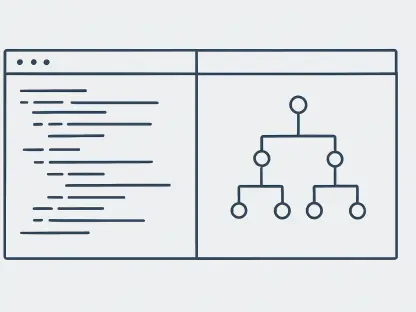
GitLens serves as a sophisticated archaeological tool for codebases, offering deep insights into the evolution of specific files and the historical context behind every committed change. This capability has become the bedrock of modern software engineering in 2026, where the sheer volume of code generated by both humans and machines necessitates a high degree of transparency and traceability. Visual Studio Code has successfully navigated the transition from a lightweight text editor to a comprehensive development ecosystem, largely due to its ability to incorporate such powerful forensic tools alongside a vast array of community-driven extensions. The modular nature of the platform allows for a personalized environment that scales with the complexity of contemporary software projects, ensuring that developers are not overwhelmed by unnecessary features while maintaining access to state-of-the-art capabilities. In an era where microservices and distributed systems are the norm, the ability to tailor the workspace to specific architectural needs is no longer a luxury but a fundamental requirement for maintaining high-velocity development cycles and operational excellence. By focusing on a core set of specialized extensions, engineers can transform their local environment into a powerful command center capable of managing everything from local debugging to global cloud deployments without ever switching windows.
The Evolution of Intelligent Development Assistance
Autonomous Agent Integration and GitHub Copilot
The landscape of artificial intelligence in software development has shifted from basic code completion to the era of autonomous agents that understand the broader intent of a project. GitHub Copilot has maintained its position at the forefront of this evolution by introducing a robust “Agent Mode” that can autonomously navigate through multiple files to perform complex refactoring. This functionality allows the assistant to analyze dependencies and cross-module impacts, ensuring that a change in a backend schema is correctly reflected in the frontend interfaces and associated test suites simultaneously. Developers no longer view these tools as simple autocomplete engines but as active collaborators capable of handling the cognitive load of boilerplate management and structural updates. This shift has drastically reduced the time spent on repetitive tasks, allowing the human engineer to focus on higher-level architectural decisions and the unique business logic that defines a successful application in today’s competitive digital market.
While the productivity gains provided by agentic AI are substantial, the necessity for human-led validation has become more critical than ever to ensure code security and logical soundness. In 2026, the role of the developer has transformed into that of an orchestrator who monitors the AI’s output for hallucinations or architectural inconsistencies that might arise from complex instructions. The integration within Visual Studio Code provides a seamless interface for this oversight, where the agent proposes changes that the developer can review, modify, or reject in real-time. This interactive workflow ensures that the final codebase remains maintainable and adheres to the specific security protocols required by the organization. By leveraging these advanced capabilities, teams are able to ship features at a pace that was previously impossible, provided they maintain a disciplined approach to code review and automated testing to catch any edge cases the AI might have overlooked during the rapid generation process.
Open-Source Models and Model-Agnostic Tools
The rise of agentic AI has also sparked a significant movement toward open-source and model-agnostic development tools, with extensions like Cline leading the charge for flexibility. These tools empower developers to connect their editor to a variety of large language models, whether they are hosted in the cloud or running on local hardware for enhanced privacy and data security. This trend is particularly relevant for organizations with strict compliance requirements that cannot allow proprietary code to leave their internal network. By providing a bridge to diverse AI backends, these extensions prevent vendor lock-in and allow teams to choose the specific model that best fits their technical requirements or budget. The ability to swap models without changing the user interface or development workflow provides a layer of future-proofing that is highly valued in a rapidly changing technological landscape where the leading AI model can change from month to month.
Beyond just providing model flexibility, these open-source agents have fostered a community-driven approach to tool improvement, where developers can contribute custom instructions and scripts to refine the agent’s behavior. This democratization of AI technology means that even smaller teams can access high-end automation that was once the exclusive domain of large tech corporations. These tools often include advanced features like local file indexing and integration with terminal commands, allowing the agent to run tests and fix errors based on the output. As local compute capabilities continue to grow, the integration of high-performance local models has become a viable reality for day-to-day development, offering a zero-latency experience that maintains a high level of responsiveness in the editor. This balance of power and privacy represents a significant shift in how modern software is built, placing sophisticated automation directly in the hands of the individual developer.
Maximizing Code Integrity and Logical Consistency
Automated Formatting and Static Analysis
Maintaining a clean and consistent codebase is a non-negotiable standard in 2026, and Prettier remains the primary tool for ensuring that aesthetic uniformity is maintained across large, multi-contributor projects. By enforcing a predefined set of styling rules, it removes the friction of subjective debates over code layout, allowing teams to focus their energy on the actual logic and functionality of the software. The extension automatically formats code upon saving, which ensures that every commit to the repository follows the same structural patterns, making the code much easier to read and maintain over the long term. This level of automation is essential for modern CI/CD pipelines, where any deviation from the established style can trigger automated flags, and Prettier serves as the first line of defense in the developer’s local environment. Its support for a vast range of languages and frameworks makes it a universal necessity for any modern development stack.
Complementing the visual consistency provided by formatting tools, ESLint continues to be the industry standard for identifying potential logical errors and enforcing best practices through static analysis. While formatting is about how the code looks, linting is about how the code behaves and its adherence to security and performance standards. In 2026, ESLint configurations have become increasingly sophisticated, capable of catching complex issues like memory leaks in frontend frameworks or insecure data handling in backend services before the code is even executed. The deep integration with Visual Studio Code allows these issues to be highlighted in real-time, providing immediate feedback that educates the developer on better coding patterns. By maintaining a clear distinction between formatting and linting, teams can create a robust validation layer that significantly reduces the number of bugs that reach the testing phase, thereby lowering the total cost of development.
Real-Time Diagnostic Visualizations
The speed at which developers can identify and resolve errors has been revolutionized by extensions like Error Lens, which have moved beyond traditional sidebar notifications to provide inline diagnostic feedback. By projecting error messages, warnings, and hints directly onto the line of code where they occur, this tool eliminates the need to constantly monitor a separate “Problems” panel or hover over red squiggly lines to understand what is wrong. This immediate visual context allows for a much faster iteration cycle, as the developer can see the exact nature of the problem while their focus is still on the specific logic they are writing. In a year where development speed is a major competitive advantage, reducing the cognitive friction of context switching between the code and error logs is a vital optimization. The clarity provided by these inline diagnostics helps maintain a high state of productivity, especially when dealing with complex type errors in languages like TypeScript or Rust.
This approach to real-time feedback has been expanded to include more than just syntax errors, as modern extensions now provide insights into performance bottlenecks and security vulnerabilities directly within the editor’s view. These tools analyze the code as it is written, offering suggestions for more efficient algorithms or highlighting the use of deprecated libraries that might pose a risk. This proactive stance on code quality means that the editor acts as a constant mentor, helping engineers stay up to date with the latest industry standards and security patches. As software systems grow more interconnected, the ability to see the immediate impact of a code change on the overall health of the system is invaluable. By transforming the editor into a more communicative and intelligent environment, developers can maintain a higher standard of excellence without having to manually run a battery of external analysis tools for every minor update.
Integrated Web Development and API Management
Browser Tools and Testing Frameworks
The boundary between the code editor and the web browser has effectively vanished with the deep integration of Microsoft Edge Tools within Visual Studio Code. This extension allows developers to launch a fully functional browser instance inside a dedicated tab, complete with the familiar suite of inspection tools for the Document Object Model and CSS styling. This integration is particularly useful for frontend engineers who need to make rapid adjustments to the visual layer and see those changes reflected instantly without leaving their primary workspace. The ability to debug layout issues, test responsiveness across different device profiles, and inspect network traffic all within the same interface reduces the friction caused by constant switching between applications. This unified workflow is a key driver of productivity in 2026, where modern user interfaces are more dynamic and complex than ever, requiring a tighter loop between design and implementation.
For the critical task of verifying user interactions and end-to-end functionality, Playwright has emerged as the most advanced solution for automated browser testing. Its official extension provides a visual interface for recording user flows, which then automatically generates the underlying test scripts, making comprehensive test coverage accessible even for complex single-page applications. This visual approach to testing allows developers to quickly verify that new features do not break existing functionality across multiple browser engines. In an era where reliability is a core part of the brand experience, having a robust and easy-to-maintain test suite is essential for any professional web project. The Playwright extension also includes powerful debugging features that allow engineers to step through tests and see the exact state of the browser at each point, making it much easier to diagnose and fix intermittent failures that are common in distributed web environments.
Centralized API Testing and Prototyping
API management has transitioned from being a separate administrative task to a core part of the development experience, largely through the integration of tools like the Postman extension. This allows developers to design, test, and document their API endpoints directly within the workspace where they are writing the server-side logic. By maintaining environment variables and request collections alongside the source code, teams can ensure that the frontend and backend remain perfectly synchronized throughout the development lifecycle. This integrated approach is particularly beneficial for building the decoupled, microservice-based architectures that dominate the current software landscape. Developers can quickly verify that a new endpoint returns the expected data structure or test how their application handles various error responses without ever needing to open an external client or web interface.
This centralization of API tools also facilitates better collaboration between team members, as request collections can be shared and versioned along with the codebase. In 2026, these tools have evolved to include AI-driven features that can automatically generate mock servers and documentation based on the existing code. This allows frontend developers to begin their work before the backend is fully implemented, significantly speeding up the overall development timeline. The ability to simulate high-latency connections or specific geographic locations within the testing environment also helps ensure that applications perform well for a global user base. By treating APIs as first-class citizens within the editor, teams can build more resilient and performant systems that are designed for the complexities of modern internet traffic and diverse consumer devices.
Collaboration and Environmental Parity
Streamlined Code Review and Git Integration
The integration of the GitHub Pull Requests extension has transformed the way teams approach collaboration by bringing the entire review process directly into the heart of the development environment. Reviewers no longer need to switch back and forth between the web browser and their editor to understand the context of a change; they can instead check out the specific branch, run the code locally, and leave comments on specific lines all within a single interface. This streamlined workflow not only speeds up the feedback cycle but also ensures that reviews are more thorough, as the reviewer has full access to the project’s symbols, definitions, and testing tools. In 2026, where remote and asynchronous work is the standard, these tools are essential for maintaining a high level of communication and code quality across distributed teams. The ability to see and respond to comments in real-time within the code view creates a more interactive and productive peer-review experience.
Furthermore, the deeper integration with version control systems allows for a more visual and intuitive understanding of project history and branch management. Developers can easily visualize merge conflicts and resolve them using advanced 3-way merge editors that are built directly into the platform. This reduces the risk of human error during complex integration tasks and helps keep the main branch in a deployable state at all times. The extension also provides high-level insights into team productivity and code health, highlighting areas of the codebase that are changing frequently or may be prone to bugs. By making the collaborative aspects of software engineering a native part of the editor, Visual Studio Code helps teams maintain a cohesive and efficient workflow that is capable of handling the demands of large-scale, high-velocity projects.
Containerization and Workspace Standardization
Solving the persistent challenge of “it works on my machine,” Dev Containers have become a standard practice for creating consistent and reproducible development environments. By using Docker to sandbox the entire workspace, including the specific versions of the operating system, compilers, and dependencies, teams can ensure that every developer is working in an identical setup. The Dev Containers extension allows this environment to be defined in a simple configuration file that is versioned alongside the code, making the onboarding of new engineers a seamless process that takes minutes instead of days. In 2026, this approach has expanded to include support for GPU acceleration and specialized hardware, making it a viable solution even for complex machine learning and data science projects that require specific driver configurations.
Beyond just solving environment inconsistency, these containerized workspaces provide an additional layer of security by isolating the development activities from the host machine. This prevents accidental changes to the local system and ensures that any malicious scripts or dependencies are contained within the sandbox. The ability to quickly spin up and tear down these environments also encourages experimentation, as developers can test new tools or library versions without the fear of breaking their primary setup. As the industry moves toward more complex and specialized technology stacks, the ability to manage multiple, distinct environments for different projects becomes a major operational advantage. By leveraging containerization as a fundamental part of the editor experience, developers can focus on writing code rather than troubleshooting environment issues, leading to a more stable and predictable development process.
Specialized Ecosystems and Infrastructure Deployment
Language-Specific Optimization and Framework Support
Language-specific extensions in 2026 have evolved into highly intelligent subsystems that provide deep integration with the unique features and ecosystems of each language. For example, the Python extension suite now offers seamless integration with advanced type checkers like Pylance and sophisticated debuggers that are specifically tuned for the nuances of asynchronous programming and data science workflows. These tools provide more than just syntax highlighting; they offer intelligent refactoring, automated documentation generation, and real-time performance profiling that helps developers write more efficient and idiomatic code. This level of specialization ensures that Visual Studio Code remains the editor of choice for a wide variety of disciplines, from low-level systems programming to high-level web development. The ability to switch between these specialized environments with a simple profile change allows developers to be productive across multiple languages without a steep learning curve.
For developers working with modern CSS frameworks, tools like Tailwind CSS IntelliSense have become indispensable for maintaining speed and accuracy in styling. This extension provides real-time class suggestions, color previews, and linting for utility-first CSS, which prevents common mistakes and helps navigate large utility libraries with ease. In an era where design systems are increasingly complex, these intelligent helpers make it possible to implement highly customized and responsive interfaces with minimal effort. By providing a bridge between the design intent and the implementation, these tools help maintain a high level of visual consistency across large projects. This focus on specialized tooling for specific frameworks and languages reflects the broader trend toward more targeted and efficient development workflows that are optimized for the specific needs of the task at hand.
Remote Compute and Cloud Integration
The shift toward remote development has been fully realized through the Remote – SSH extension, which allows developers to connect their local editor to powerful remote servers or cloud-based instances. This enables a workflow where the lightweight interface of the editor runs on the local machine while the resource-intensive tasks of compiling, testing, and running the application occur on high-end hardware. This is particularly beneficial for developers who need to work with massive datasets or train complex AI models that would be impossible to handle on a standard laptop. In 2026, this remote capability is often integrated with cloud providers to allow for the instant provisioning of development environments that are perfectly matched to the production infrastructure. This ensures that the code behaves the same way in development as it does in the real world, reducing the likelihood of deployment-related issues.
Vertical integration between the editor and hosting providers has also reached a new level of sophistication, with extensions like the Hostinger Connector bridging the gap between code and live infrastructure. These tools allow developers to manage their hosting resources, monitor server health, and deploy updates directly from the sidebar using AI-driven commands. This blurring of the lines between development and operations is a hallmark of the modern DevOps philosophy, where the individual engineer has the power to manage the entire lifecycle of an application. By providing direct access to deployment pipelines and cloud resources within the editor, these extensions remove the need for complex command-line interactions and external web consoles. This integrated approach leads to a more streamlined and efficient path from the first line of code to a globally available web application, allowing teams to deliver value to their users faster than ever before.
The Modern Extension Audit
The most successful engineering teams of the past development cycle recognized that an efficient workspace was not built by accumulating every possible plugin, but through a disciplined and strategic selection of tools that complemented their specific goals. They adopted a philosophy of modularity, where the core editor remained lean and high-performing, while specialized functionality was added only when it provided a clear and measurable increase in productivity or code quality. This transition from a “more is better” approach to a curated environment allowed developers to maintain a high state of focus, as they were not distracted by a cluttered interface or slowed down by the performance overhead of unnecessary extensions. By prioritizing tools that offered deep integration and intelligent automation, they were able to automate the mundane aspects of software creation and dedicate their mental energy to solving the complex architectural challenges that defined the industry.
Looking toward future progress, the continued optimization of the development environment will likely focus on even tighter integration between local tools and global cloud infrastructure. Developers should prioritize auditing their current setups to ensure that their choice of extensions reflects the modern standards for security, performance, and collaborative efficiency. The focus should remain on building a flexible foundation that can adapt to new languages and frameworks as they emerge, while maintaining a core set of reliable tools for version control, testing, and AI assistance. By mastering the orchestration of these sophisticated extensions, engineers can ensure they remain at the cutting edge of the profession, capable of delivering high-quality software with unprecedented speed and reliability. The ultimate goal is to create a workspace that acts as a natural extension of the developer’s intent, providing the right information and the right tool at exactly the moment it is needed.