
The rapid evolution of mobile operating systems has reached a critical juncture where the integration of artificial intelligence is no longer a luxury but a fundamental requirement for modern high-end productivity. Samsung’s One UI 9.5 represents a significant shift from the incremental software updates of previous cycles toward a more comprehensive, AI-centric ecosystem. Recent leaks and internal development builds suggest that this iteration focuses on three specific areas: visual refinement, intelligent context awareness, and expanded utility for third-party communications. Unlike earlier versions that primarily added surface-level features, this update aims to compete with high-end rival interfaces by prioritizing both aesthetic fluidity and proactive “agentic” artificial intelligence. The goal is to move the user experience away from manual navigation and toward a system that understands intent and context in real time, effectively transforming the smartphone from a tool into a sophisticated personal assistant for professional workflows. This transition is essential for maintaining market leadership as users demand smarter hardware integration.
Interface Refinement and Visual Standards
Animation Design: Organic Motion Curves
One UI 9.5 introduces a complete overhaul of the system’s animation engine, implementing native high-frame-rate motion curves and organic bounce physics that make every interaction feel more responsive. This technical shift addresses long-standing user feedback regarding the perceived weight and speed of the interface, ensuring that transitions between applications are as smooth as the hardware allows. By utilizing more sophisticated physics models in the code, the software provides a tactile sense of momentum and resistance that was previously missing from many mobile environments. This creates a sense of personality within the software, where the device feels more like a reactive surface than a static screen. These improvements are particularly noticeable when multitasking or using the new gesture-based navigation system, where the fluidity of the windows and menus mimics real-world movements. Building on this foundation, Samsung has also updated the responsiveness of background processes to ensure that visual fidelity does not come at the cost of battery life or performance.
Aesthetic Overhaul: The AMOLED Black Interface
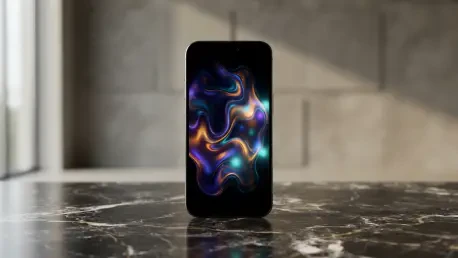
A major component of this visual refresh is visible in the updated Phone application, version 16.4, which now features a modern floating search bar for easier accessibility and a cleaner layout. Most notably, the interface marks the return of a “True AMOLED Black” design, a highly requested aesthetic choice that improves visual hierarchy on high-resolution displays. This move away from the grayish tones of recent iterations not only satisfies power users but also optimizes power efficiency on OLED panels, allowing the hardware to save energy by completely turning off pixels in dark mode scenarios. The deep black backgrounds provide a stark contrast for text and icons, reducing eye strain during nighttime use and creating a more premium feel across the entire system. Furthermore, the search bar and menu elements have been repositioned to align with natural thumb movements, enhancing one-handed usability on larger flagship devices. This focus on both beauty and ergonomic functionality demonstrates a matured design philosophy that prioritizes the actual needs of the daily user.
Productivity Enhancement and Intelligent Systems
Samsung Memory: Contextual Data Extraction
A standout technical achievement in this update is the introduction of “Samsung Memory,” a system-level intelligence tool designed to analyze on-screen content in real time without manual prompting. Unlike traditional screenshot tools that require the user to capture an image and then process it, Samsung Memory automatically identifies and extracts actionable data such as addresses, calendar dates, and specific booking details directly from the display. When the system detects relevant information, a subtle and fluid ripple animation activates, signaling that the AI has processed the content and is ready to offer relevant shortcuts. This proactive intelligence aligns with the broader industry shift toward agentic AI, where the operating system understands the user’s current task and provides the necessary data organization to complete it. By reducing the number of steps required to transfer information between disparate applications, this feature significantly enhances productivity. It effectively bridges the gap between static information and active task management for modern professionals.
Communication Tools: Native VoIP Call Recording
Practical utility is further expanded through native support for recording third-party Voice-over-IP calls, a feature that has been highly anticipated by global users who rely on messaging platforms for work. One UI 9.5 extends its internal call-recording capabilities to include popular messaging applications such as WhatsApp, Telegram, and Google Meet, allowing for unified management of voice communications. Users are granted granular control through a dedicated menu, ensuring that privacy and permissions are handled on a per-platform basis according to individual needs. These recordings are not just stored as audio files but are integrated with Samsung’s Transcript Assist technology, which automatically transcribes and summarizes the dialogue from internet-based calls. This integration allows professionals to maintain accurate records of meetings and conversations across multiple platforms without needing unstable third-party software. Such advancements underscore a commitment to creating a versatile and powerful mobile environment that adapts to the diverse ways people communicate in the professional world today.
Strategic Outlook for Ecosystem Development
The development of One UI 9.5 provides a clear roadmap for the future of mobile interaction by shifting the focus from static menus to dynamic, AI-driven experiences. Samsung successfully addressed core user demands for better visual performance while simultaneously introducing sophisticated data management tools that streamlined professional tasks. By integrating advanced recording features and real-time content analysis, the platform moved beyond the role of a traditional operating system into a proactive digital partner. Future iterations should build upon this foundation by further decentralizing artificial intelligence, allowing for more localized processing and enhanced privacy for sensitive data. This strategic pivot ensured that the hardware and software worked in a more symbiotic relationship, setting a new benchmark for competitors in the high-end smartphone market. The emphasis on high-polish animations and meaningful productivity tools served as a necessary evolution, ensuring that the interface remained relevant and powerful in an increasingly automated and complex digital landscape.