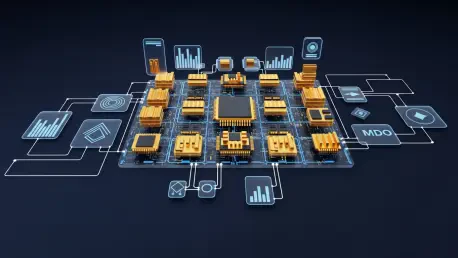

The recent emergence of the Ableton Extensions SDK represents a fundamental shift in how digital audio workstations can be customized by users rather than just manufacturers, providing a new level of granular control. This toolkit, released for the Live 12.4.5 beta, provides a robust JavaScript-based environment designed to modify how project data is handled across the entire session. By allowing developers to create tools that reside within the DAW itself, the SDK eliminates the need for external scripting or convoluted workarounds that were previously necessary for project automation. This development signifies a major step toward a modular production environment where the software adapts to the producer’s unique workflow rather than forcing the producer to adhere to rigid factory settings. As the industry moves toward more open and programmable platforms, this specific innovation provides the community with the means to solve long-standing organizational challenges through custom-built utilities and advanced algorithmic processing.
Core Technical Architecture and Project Integration
Developing with the Ableton Extensions SDK allowed for a deeper level of interaction with the fundamental building blocks of a project than was previously possible with standard plugin architectures. These extensions were designed to interact seamlessly with various session elements, including tracks, MIDI notes, and individual clips, while also having the capacity to modify global project settings such as tempo and automation curves. One of the most significant advantages of this system was its contextual accessibility, which ensured that tools only appeared in a right-click menu when they were truly relevant to the selected item or task. This reduced visual clutter and streamlined the decision-making process for producers who needed specific functions without navigating through multiple sub-menus. By focusing on project-wide data rather than the audio signal, the SDK enabled an integrated approach that emphasized the importance of session structure and efficiency within the modern digital studio.
The technical foundation of the SDK relied heavily on established web technologies, which facilitated a lower barrier to entry for developers familiar with the modern internet ecosystem. By building the toolkit on Node.js, the system supported JavaScript and TypeScript, as well as the vast library of NPM packages that were already available to the global coding community. Furthermore, the inclusion of WebAssembly support allowed more advanced developers to incorporate powerful C++ libraries into their extensions, bridging the gap between high-performance computing and accessible DAW scripting. Unlike standard plugins or instruments that required placement on a specific audio track to function, these extensions operated independently and ran only when activated by the user. This non-intrusive model meant that tools did not consume resources unless they were performing a task, making the entire environment more stable and responsive during complex arrangements while maintaining the performance integrity of the host application.
Structural Distinctions Between Extensions and Processing Tools
While Max for Live remained the primary choice for creating complex synthesizers and audio effects that processed signals in real time, the Extensions SDK offered a different focus. Extensions were specifically designed for project organization and the automation of workflow tasks that occurred outside of the actual audio signal path. This meant that while a Max for Live device might manipulate the sound of a snare drum, an extension would instead automate the process of naming the clip, coloring the track, or organizing the entire song structure into defined sections. This clear separation of concerns allowed for a more efficient allocation of processing power, as the DAW did not need to calculate audio transformations for organizational utilities. By providing a dedicated space for these administrative and structural tasks, the software enabled producers to spend less time on manual session management and more time on the creative aspects of sound design and composition without cluttering the device chain.
The shift toward data-centric automation through extensions represented a significant evolution in digital studio management. By focusing on the session’s metadata and structural hierarchy, these tools provided a way to interact with the project as a holistic database rather than just a series of audio tracks. This perspective allowed for the creation of utilities that could rearrange tracks based on specific criteria or automatically adjust project-wide settings in response to user-defined triggers. Moreover, because these tools functioned independently of the audio engine, they avoided the latency and stability issues that sometimes accompanied complex real-time processing chains. This architectural choice ensured that the core performance of the software remained prioritized while still offering extensive customization. Consequently, the introduction of this SDK filled a critical gap in the production environment, addressing the need for high-level project management tools that complemented the existing real-time creative features.
Practical Tooling and Enhanced Community Accessibility
Early community efforts demonstrated the versatility of the SDK through the release of several innovative tools that addressed common production bottlenecks. For instance, the Arrangement Track tool allowed users to automatically build song structures with color-coded MIDI clips based on pre-defined sections, significantly speeding up the initial phase of composition. Another utility, RNMR, utilized MIDI data to automatically name clips, ensuring that projects remained organized even during fast-paced recording sessions. For those focused on beat production, BBenCut provided an algorithmic approach to chopping breakbeats, offering a level of speed and precision that was previously difficult to achieve manually. Even more specialized tools like PaulStretch for Live brought extreme time-stretching capabilities directly into the session environment. These examples showcased how the SDK could be used to create both utilitarian organization tools and unique creative processors, expanding the functional boundaries of what the software could accomplish.
Accessibility was a central theme in the adoption of these new tools, as the SDK was designed to be approachable for a wide variety of users. While the toolkit was inherently developer-focused, the rise of AI-assisted coding significantly lowered the barrier for producers who did not have a traditional background in software engineering. Many individuals were able to generate functional extensions by leveraging large language models to help write the necessary JavaScript or TypeScript code, leading to a surge in community-created content. For the majority of producers, however, the primary benefit came from the ability to download and use tools shared by the wider community. This collaborative ecosystem fostered a culture of sharing where unique solutions to common problems could be distributed and refined rapidly. By utilizing common web standards, the SDK ensured that tools were easy to update and maintain, further solidifying the community’s role in shaping the software environment.
Navigating Technical Constraints and Beta Boundaries
Despite its potential, the initial beta phase of the SDK came with several technical limitations that defined the current scope of its application. For example, there was no direct connection between extensions and Max for Live devices, meaning the two systems operated in separate domains without the ability to exchange data directly. Additionally, the SDK lacked access to the tuning systems introduced in recent updates, which limited its use for projects requiring non-traditional scales or complex microtonal adjustments. These boundaries were indicative of the early stage of development, where the focus remained on establishing a stable core architecture rather than complete feature parity across all software components. Developers had to work within these constraints, finding creative ways to optimize their tools while waiting for future updates to expand the API’s capabilities. Understanding these restrictions was essential for anyone looking to build complex systems that relied on cross-platform interaction.
Operational restrictions also included the fact that extensions had to be triggered manually via a right-click menu rather than running automatically in the background. This design choice ensured that users maintained full control over when a script was executed, preventing unintended changes to the project state. Furthermore, support for hardware control surfaces remained under the jurisdiction of the existing Python API, meaning that extensions could not yet be used to create deep integrations with external MIDI controllers or mixing desks. While some users found these limitations restrictive, they also provided a clear framework for how the tools were intended to be used: as focused, on-demand utilities rather than persistent background processes. This distinction helped maintain the performance integrity of the DAW, ensuring that the addition of custom scripts did not lead to unexpected CPU spikes or system instability as the toolkit continued to mature during the testing phase.
Strategic Implementation and Actionable Integration Steps
The introduction of the Extensions SDK successfully redefined the production landscape by democratizing the creation of custom workflow utilities. Producers who once felt limited by the static nature of their software found new ways to optimize their creative sessions through programmatic automation. This shift encouraged a more analytical approach to music production, where the efficiency of the environment was considered as important as the quality of the sound itself. By bridging the gap between professional software development and musical creativity, the toolkit allowed for a more personalized experience that catered to the specific needs of different genres and workflows. The cumulative impact of these tools led to a noticeable reduction in the time spent on repetitive tasks, which in turn allowed creators to focus more energy on the expressive elements of their work. Ultimately, the transition to an extensible architecture marked a turning point in user-driven innovation.
To participate in this technological advancement, a clear set of implementation steps was established for the user community. First, users ensured they had Ableton Live 12 Suite, as Extensions were not compatible with the Standard, Intro, or Lite versions. Second, they obtained version 12.4.5 beta or a more recent update by joining the official Ableton beta program to access the necessary SDK components. Third, for those who intended to program their own custom tools, downloading Node.js version 24.16.0 (LTS) became a fundamental requirement to support the local development environment. Beyond these technical prerequisites, the most effective strategy involved exploring community repositories and experimenting with existing tools to understand their functional logic. Producers who took these proactive steps were better positioned to integrate automation into their daily routines, effectively future-proofing their studios against the increasing complexity of modern music production projects.